Moving lights
Moving fixtures require move settings and control. Adding a mover uses this entry screen:
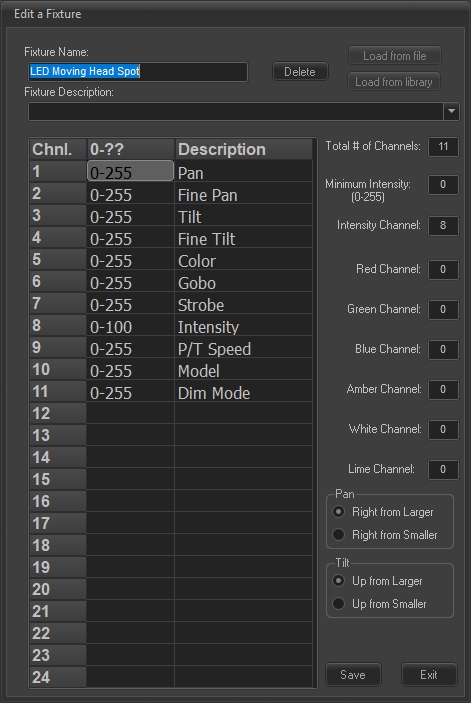
The words "Pan" and "Tilt" are triggers to the software and must appear in the channel list. Depending on the mounting of the fixture, increasing the Pan channel value will either make the instrument move left or right. Select the proper choice. Tilt has a similar selection.
After installation, the fixture tool can be used to help aim the instrument.
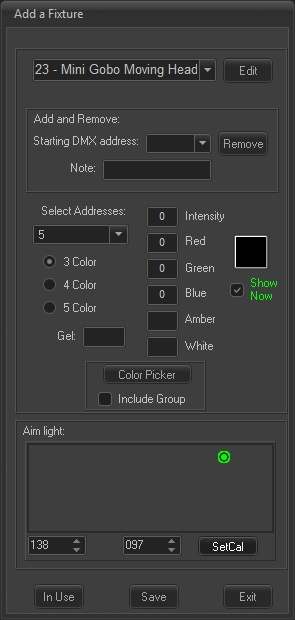
To calibrate the range of motion, right mouse down on the dot and move the dot to some position, like a corner, of the window. Adjust the pan and tilt values so that the light actually shines at that position. Click the SetCal button. Repeat as desired to save as many positions as you might use. Now left mouse selecting and moving the dot should result in the instrument going close to where you need for a cue. Fine adjust using the pan and tilt channels. Of course, selecting the channel on the main screen itself and setting a value will override any action here.