The Main Screen
The Main Screen


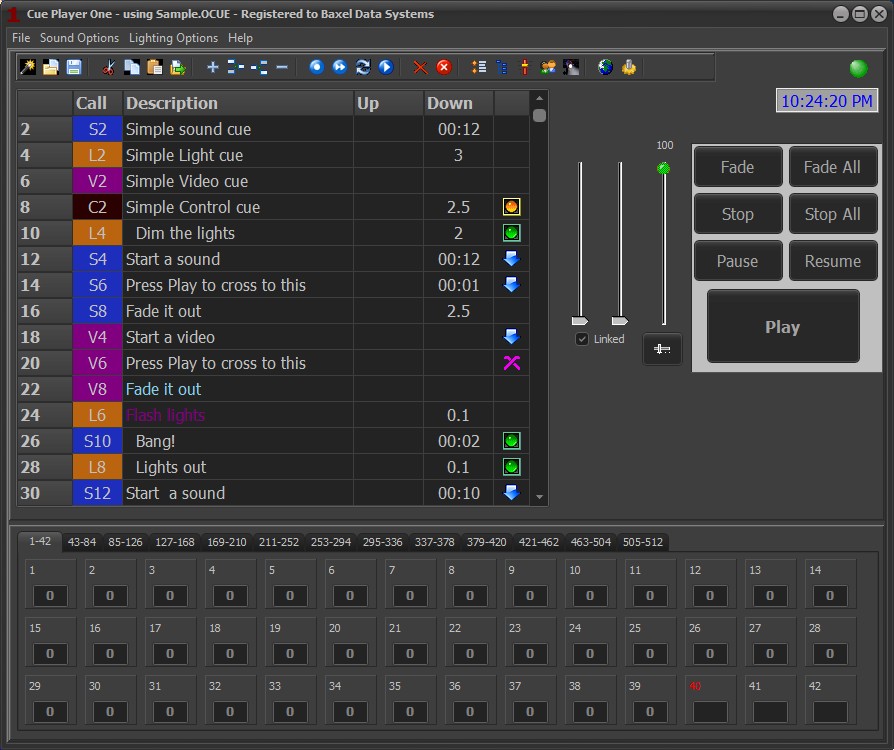
The Main screen is divided into two sections. The top has the elements of a cue list, with colored cue types, timings, and action icons, sliders for volume control, and buttons for commands to a cue. The bottom is a grid of lighting channels, separated by tabs to size, showing the current levels of each channel. A separator bar between the sections allows for sizing top and bottom within the operating window. Any time the bar is moved or the window resized, the lighting grid will redraw to minimize the number of tabs.
The lighting channels can be either underneath the cue list, as above, or next to it when using a wide screen display.
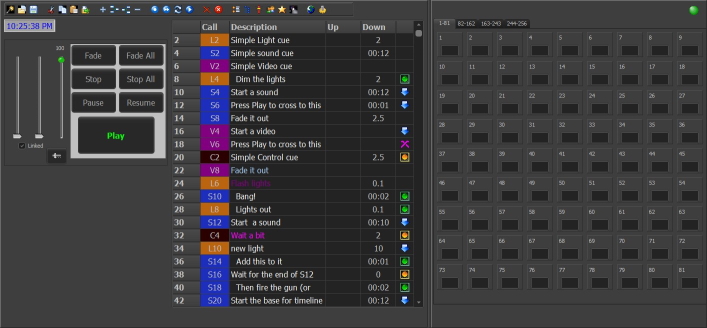 The switch is on the top menu under Lighting Options. It may take resizing the screen and moving the splitter bar to get the display where you like it if switching back and forth.